Background Sounds on iPhone
An overlooked Apple feature you might want to know about.
Background Sounds on iPhone
An overlooked Apple feature you might want to know about.
« BackI'm always amazed when discovering default features I didn't know of on devices I've been using for years, especially those whose absence I previously compensated for with designated, third-party apps (not that it happens often).
Recently, I discovered such a feature by chance. Although this might seem incredibly mundane or insignificant to be writing a dedicated post about, I wanted to share this little discovery regardless, as I genuinely adore using it and also know some people who'd instantly add this control if they knew about it:
Background Sounds.
This hearing accessibility feature allows you to play ambient sounds, such as rain hitting a roof, fire crackling, or ocean waves (at the time of writing, there are 16 available sounds). These can either be played on their own, or alongside other media.
Background Sounds has been available since iOS 15, and is also available on iPadOS and macOS. I'm showcasing the feature on an iPhone 16 Pro running iOS 26.2.1.
How to enable Background Sounds
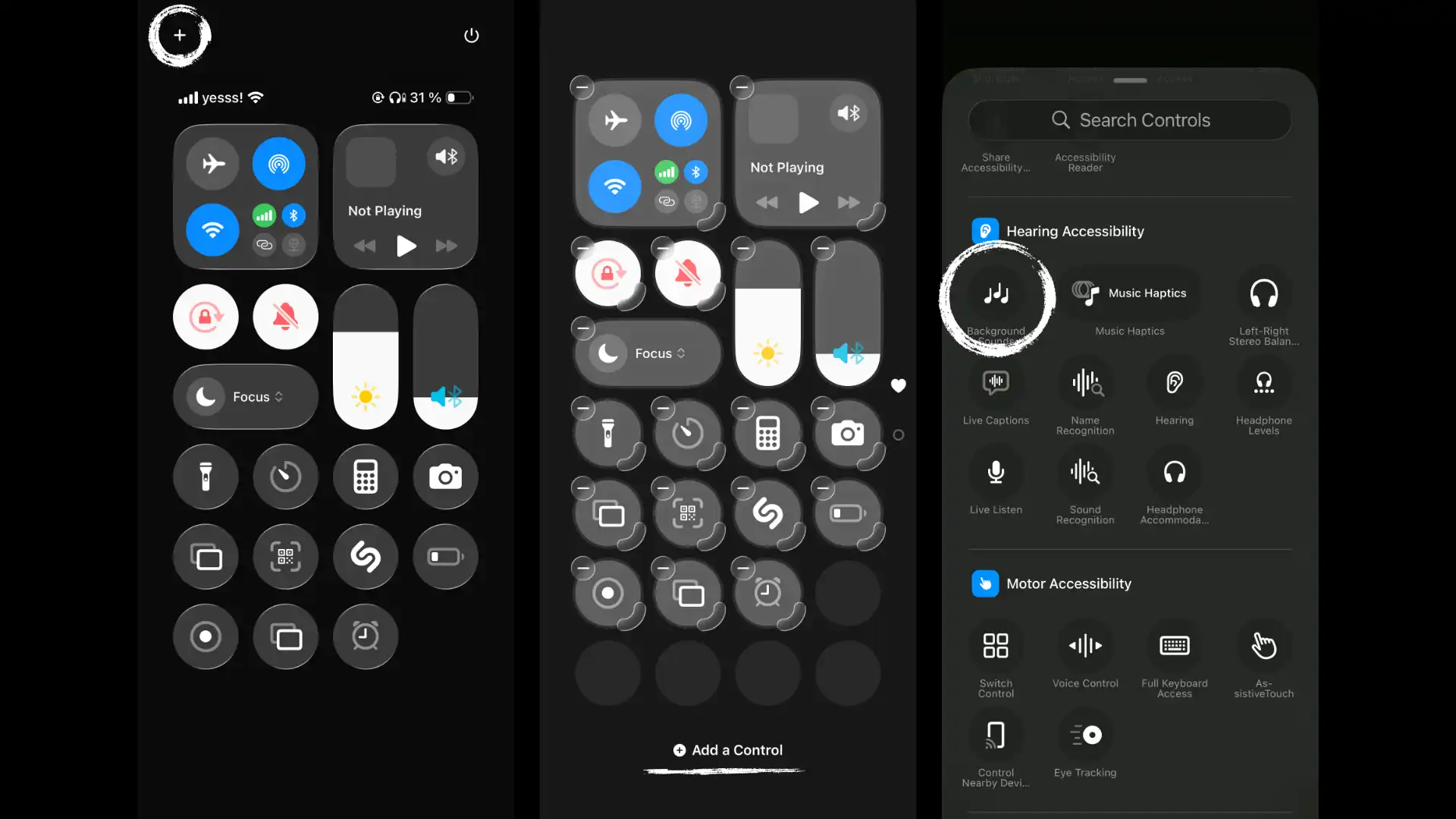
When going to the iPhone's Control Centre, you can add or remove displayed controls by either tapping on the plus icon at the top left, or touching and holding an empty area. From there, you can click on "+ Add a Control" and go to Hearing Accessibility. This is where you'll find the Background Sounds control.
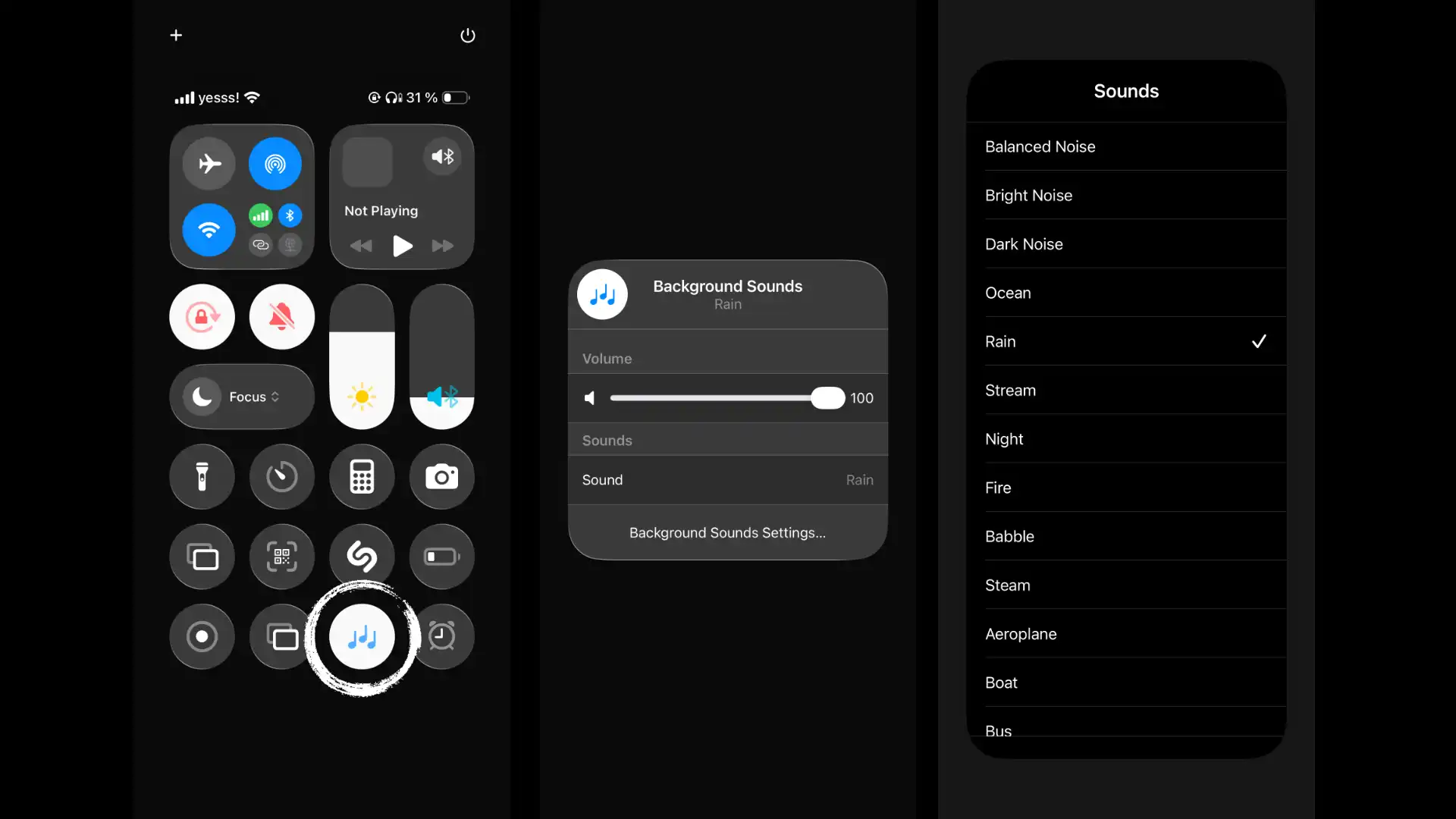
Once added, you can tap the icon in your Control Centre to start playing ambient sounds. By tapping and holding the control, you can access additional settings, such as selecting the type of sound or setting its volume. The selected audio will also be downloaded once you start playing it.
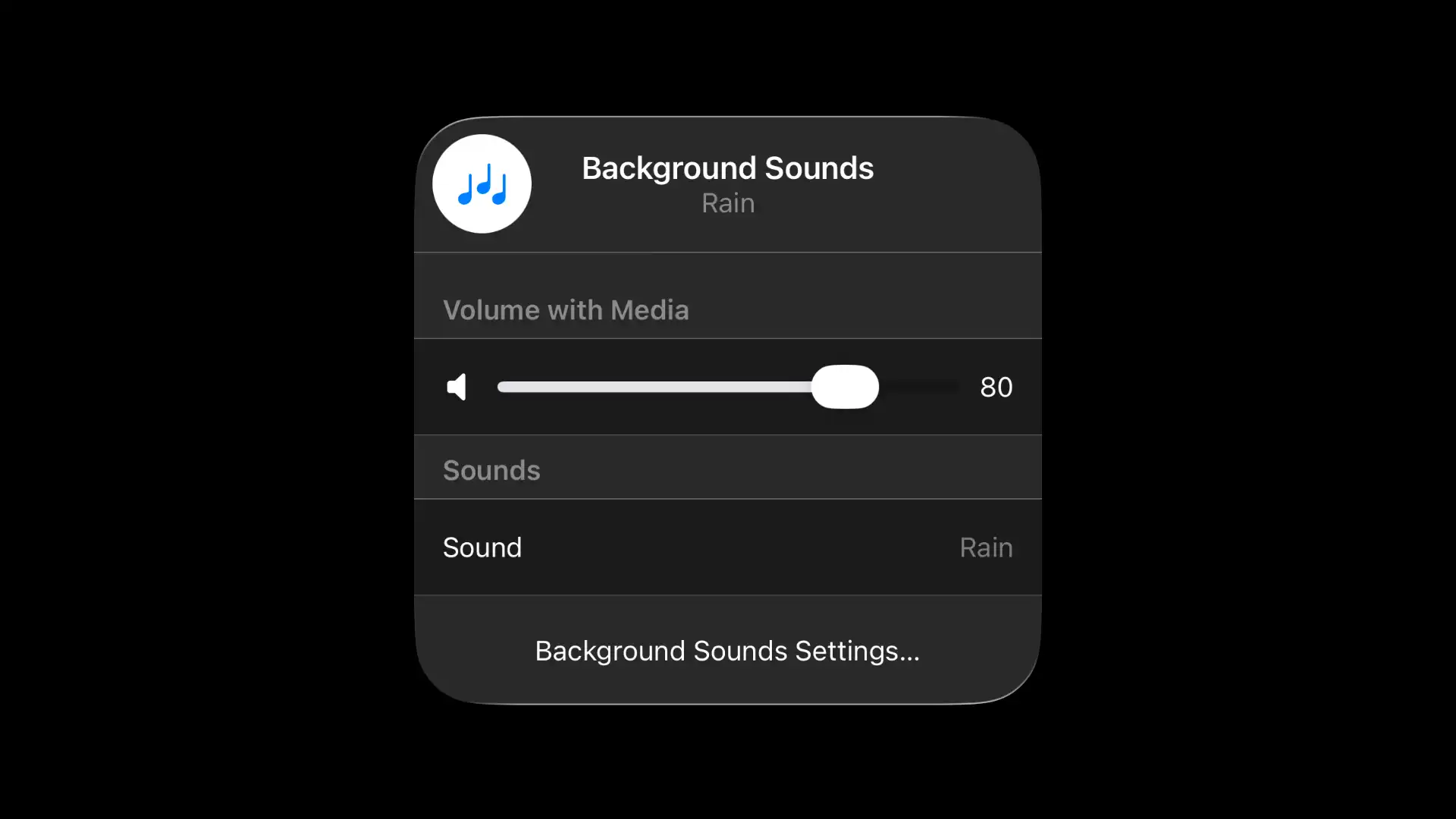
Some other handy settings include being able to set the mix volume when playing these sounds alongside music, which certainly adds a very special atmosphere to certain songs.
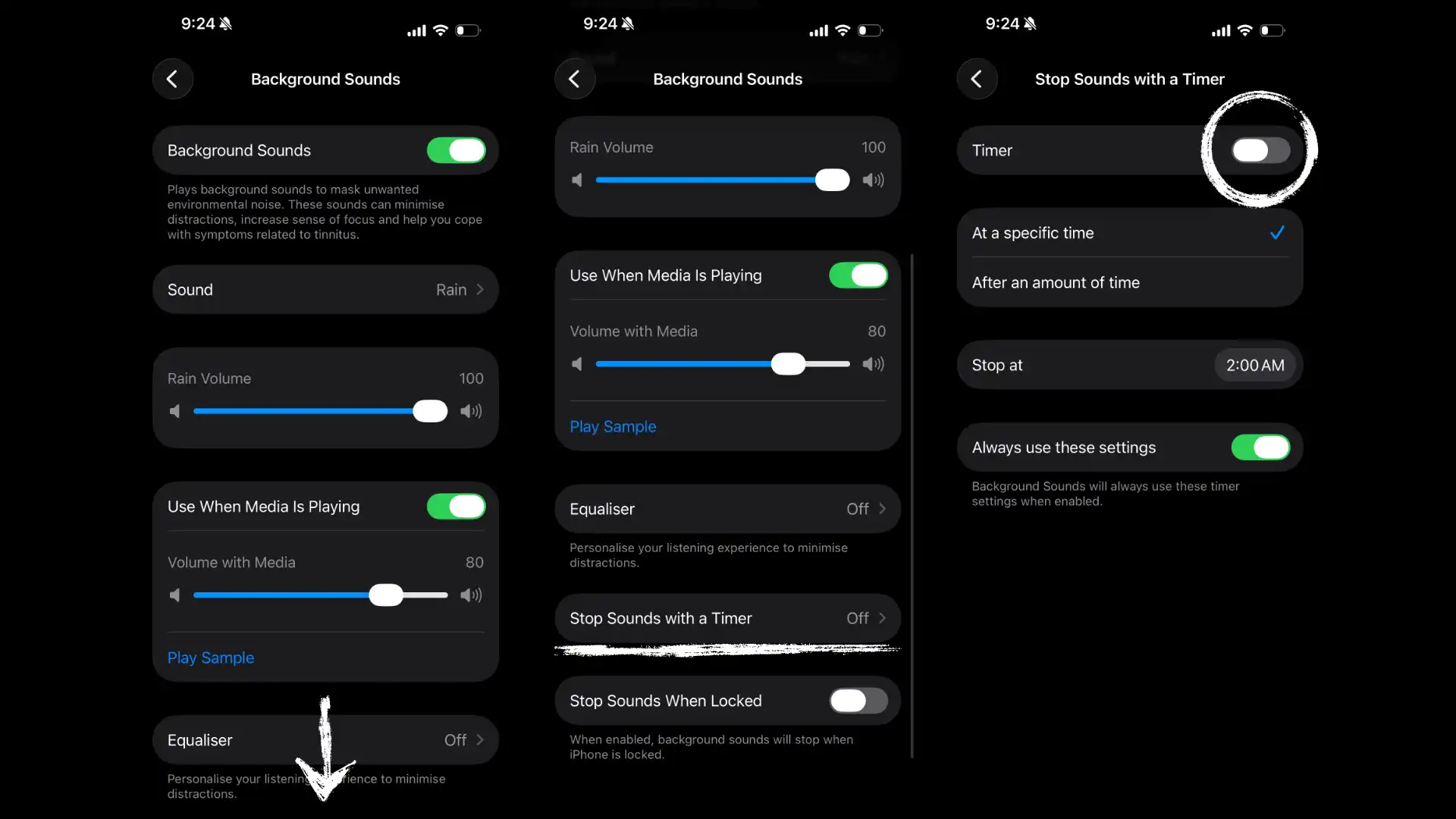
Also, when wanting to use it for e.g. falling asleep (something I've been using this feature for heavily ever since my discovery), there's the option to stop the background sound after a specific time is set or after a set amount of time has passed.
The quality of these recordings is amazing, and compares to no app offering the same functionality that I've used before (which often locked certain features or sounds behind paywalls). Though, there are some features I do miss, such as being able to mix ambient sounds together, or having further ambient recordings in the library.
Regardless, if you're an iPhone user and find calm or even refuge in such sounds, or want to add a sweet touch to certain songs or playlists, this free, out-of-the-box feature might be something for you.
Lorem ipsum dolor sit amet, consectetur adipiscing elit. Suspendisse varius enim in eros elementum tristique. Duis cursus, mi quis viverra ornare, eros dolor interdum nulla, ut commodo diam libero vitae erat. Aenean faucibus nibh et justo cursus id rutrum lorem imperdiet. Nunc ut sem vitae risus tristique posuere.
Lorem ipsum dolor sit amet, consectetur adipiscing elit. Suspendisse varius enim in eros elementum tristique. Duis cursus, mi quis viverra ornare, eros dolor interdum nulla, ut commodo diam libero vitae erat. Aenean faucibus nibh et justo cursus id rutrum lorem imperdiet. Nunc ut sem vitae risus tristique posuere.